Vibrance vs Saturation: How to Edit Aircraft Liveries Without Overdoing Colour
May 26, 2026
Aircraft liveries are a huge part of aviation photography.
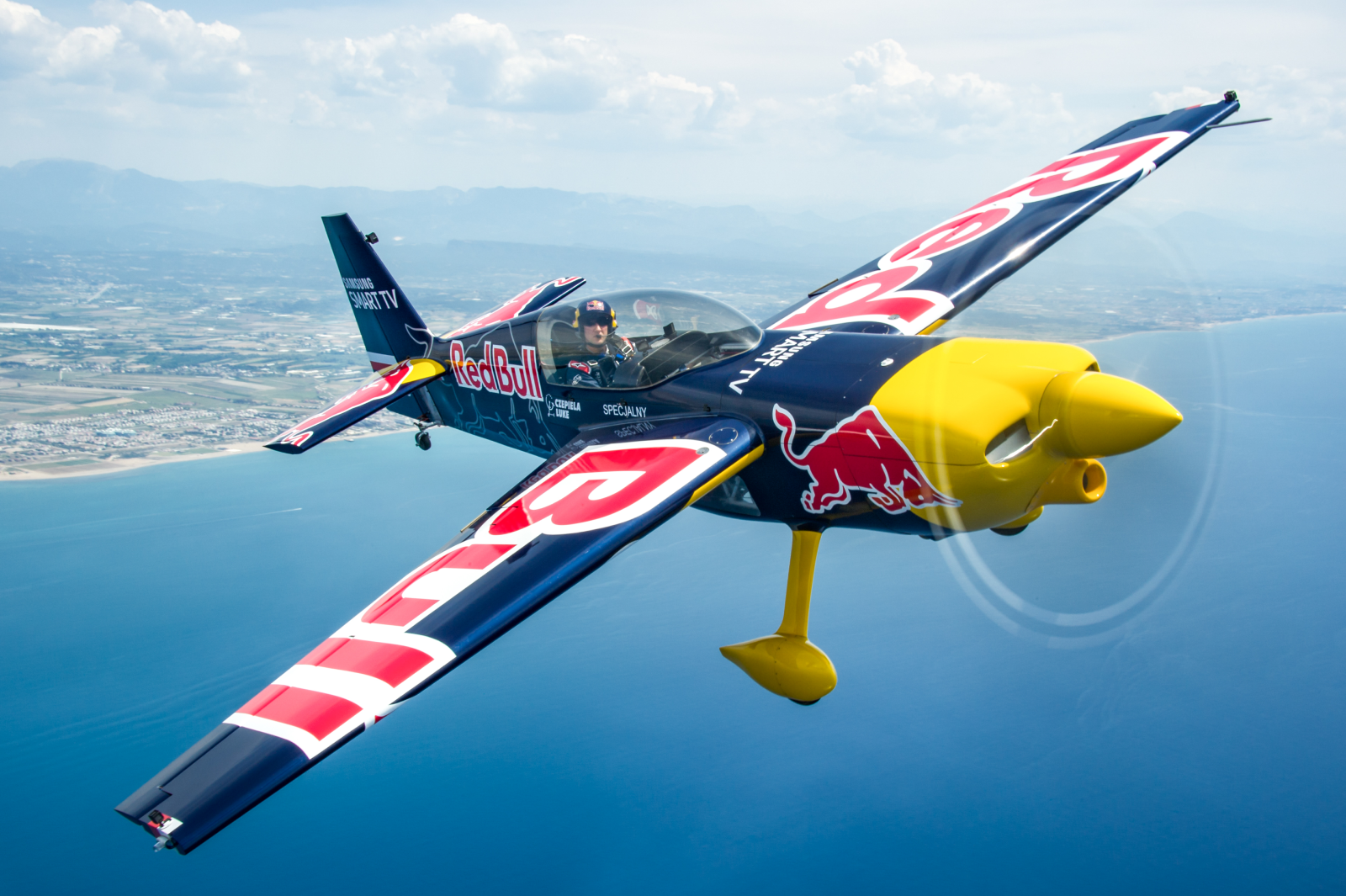
A striking airline scheme, a special tail, a display jet, a heritage paint job, a rescue helicopter, even a small flash of colour on an otherwise grey military aircraft (CAG birds, drool…). Colour can give an image a real lift!
The challenge is making that colour feel alive without pushing it too far.
Why Saturation carries risk
The Saturation slider is tempting because it gives an instant result. If a RAW file looks flat, adding Saturation can make the image feel more exciting very quickly.
The problem is that Saturation increases colour intensity across the whole frame. It does not know that the red tail was already strong, the blue sky was already bright, or the yellow aircraft was already close to the edge.
That is how aircraft edits start to look unnatural. Reds glow, blues go electric, yellows feel heavy, and skies begin competing with the subject itself.
Why Vibrance is a better first move
Vibrance is usually a kinder starting point. It tends to lift weaker colours more gently, while being less aggressive with colours that are already strong.
For aviation photography, that can be very helpful. Airline liveries, display schemes and special tails often contain bold colours that do not need much extra push. A small Vibrance increase can bring the file back to life without making the aircraft look artificial.
That said, Vibrance can still be overdone. It should wake the file up, yet not be the sole tool ti finish the edit on its own.
Use HSL for livery control
Once the overall colour feels close, use HSL for individual livery colours.
HSL gives you control over Hue, Saturation and Luminance. Hue adjusts the colour itself. Saturation adjusts intensity. Luminance adjusts how bright or heavy that colour feels.
That last part is key. A red tail that feels too dense may not need less colour. It may need a small luminance lift. A blue stripe that looks dull may need a tiny saturation increase, while the sky is controlled separately. A yellow helicopter may need careful luminance work more than extra saturation.
The believable colour check
Before export, compare the livery to the rest of the aircraft. Whites should still look white. Greys should still feel like painted metal. The sky should support the aircraft rather than compete with it.
A strong livery edit should feel clean, confident and believable. The colour should help the aircraft lead the frame, rather than overpower it.
If you want to go further, COAP Online goes deeper on aviation colour control, including Vibrance, Saturation and HSL workflows for civil liveries, military greys and display schemes. The Merge post expands this with a practical livery-colour workflow, including specific HSL checks for reds, blues, yellows and special schemes. Explore COAP Online with a free trial at www.coaponline.com.
Did you know our blogs are written exclusively by photographers inside the Accelerator? We'd love for you to come and see what COAP Online is all about.
Not yet part of the Aviation Photography Accelerator?
Start this month for £19
Every month the whole community locks onto one Focus Subject and learns it live with our pro instructors. You also get instant access to everything we have ever made: 30+ workshop replays, 150+ tutorials, four pro masterclasses, and The Merge, our private community of 500+ aviation photographers.
Cancel any time. 30-day money-back guarantee.

Included with the Accelerator
Exclusive gear discounts at Clifton Cameras
Everyone inside the Accelerator qualifies for exclusive pricing on cameras, lenses and accessories through our retail partner, Clifton Cameras. The saving on a single purchase can cover several months of the Accelerator.
Discounts available across









Get a free tutorial to your inbox every week!
Subscribe to our mailing list to receive a fantastic aviation photography tutorial to your inbox every Tuesday!
We hate spam as much as you. We will never sell your information, for any reason.